Managing many devices in a building automation system can be complex, especially in large installations where lights, dimmers, automations and binary devices need to be organised efficiently. HSYCO 4.1 introduced the Catalog: a centralised tool that simplifies device management and lays the groundwork for generating user interfaces automatically, a feature coming soon.
One view of every device, sorted into Groups
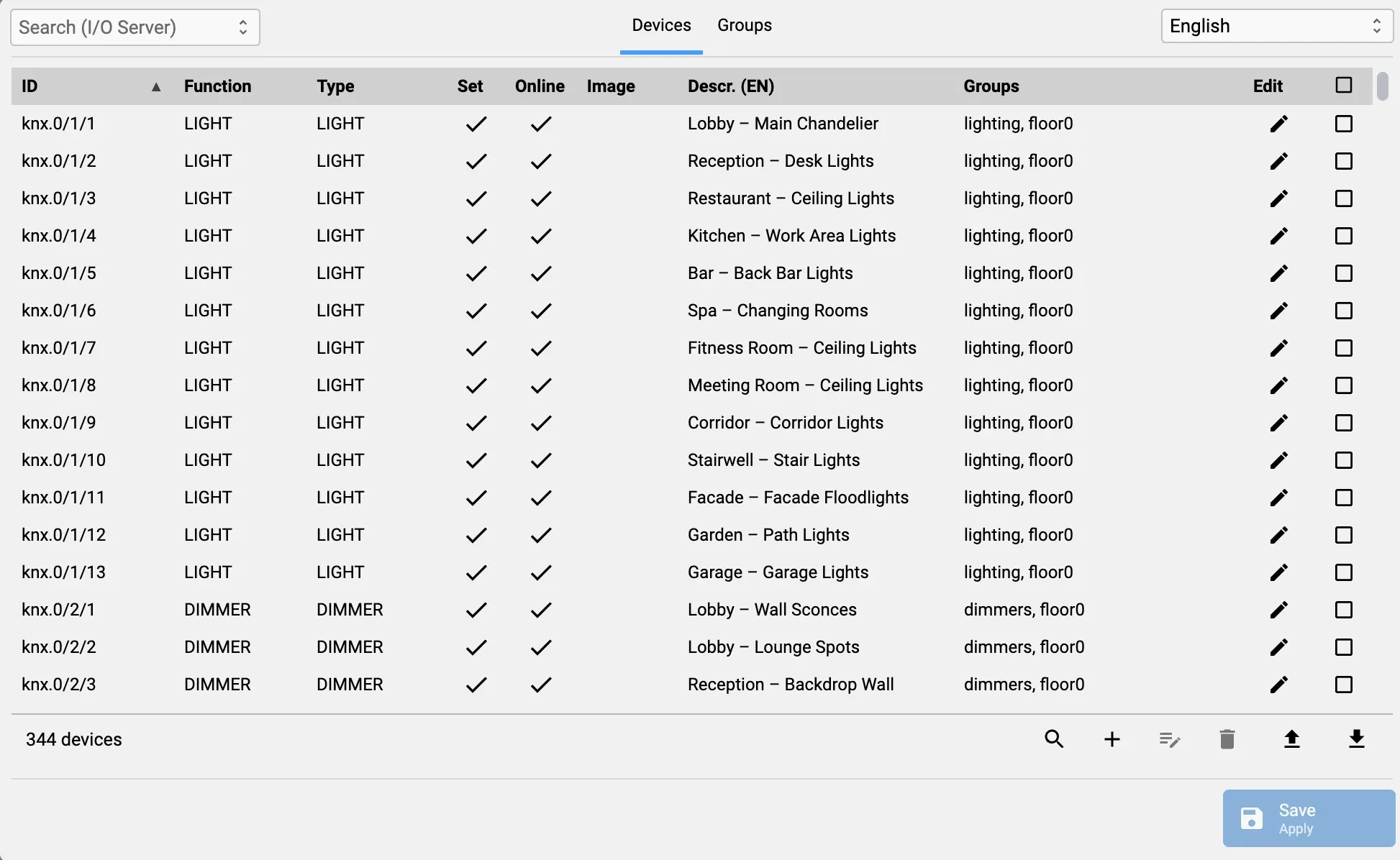
The Catalog provides a single view of all devices in the system. Users can organise devices into Groups, which can represent physical areas or functional categories. This grouping is not just a way to classify devices; it is a foundational step towards automating user interface creation. By organising devices and groups thoughtfully, integrators will soon be able to generate dashboards and control panels automatically, reducing configuration time and minimising errors.
Large installations
In multi-floor or multi-building installations, where managing hundreds of devices individually would be slow and error-prone, the Catalog improves visibility and control. Integrators can quickly locate devices, understand their relationships and make updates without manually searching through the entire system.
For example, in a hotel with several hundred devices, an integrator can create one Group for each floor and separate Groups for lighting, dimmers and automations, then find and update any device from a single view instead of searching through the whole configuration.
Reusable configurations
The Catalog’s structure also encourages reusable configurations, allowing integrators to replicate setups across projects, apply consistent naming conventions and keep the system design clean and scalable. This saves time during installation and simplifies long-term maintenance and troubleshooting.
With the Catalog, HSYCO 4.1 gives integrators a clearer way to organise and maintain large building automation systems: devices are centralised, grouped to suit each project, and ready for automatic UI generation once it becomes available.